 Calora AI
01
Photograph it
Point the camera at your plate and the AI estimates the foods and their nutrition. Before anything is sent, you see exactly where the photo goes.
Nutrition tracker · Android
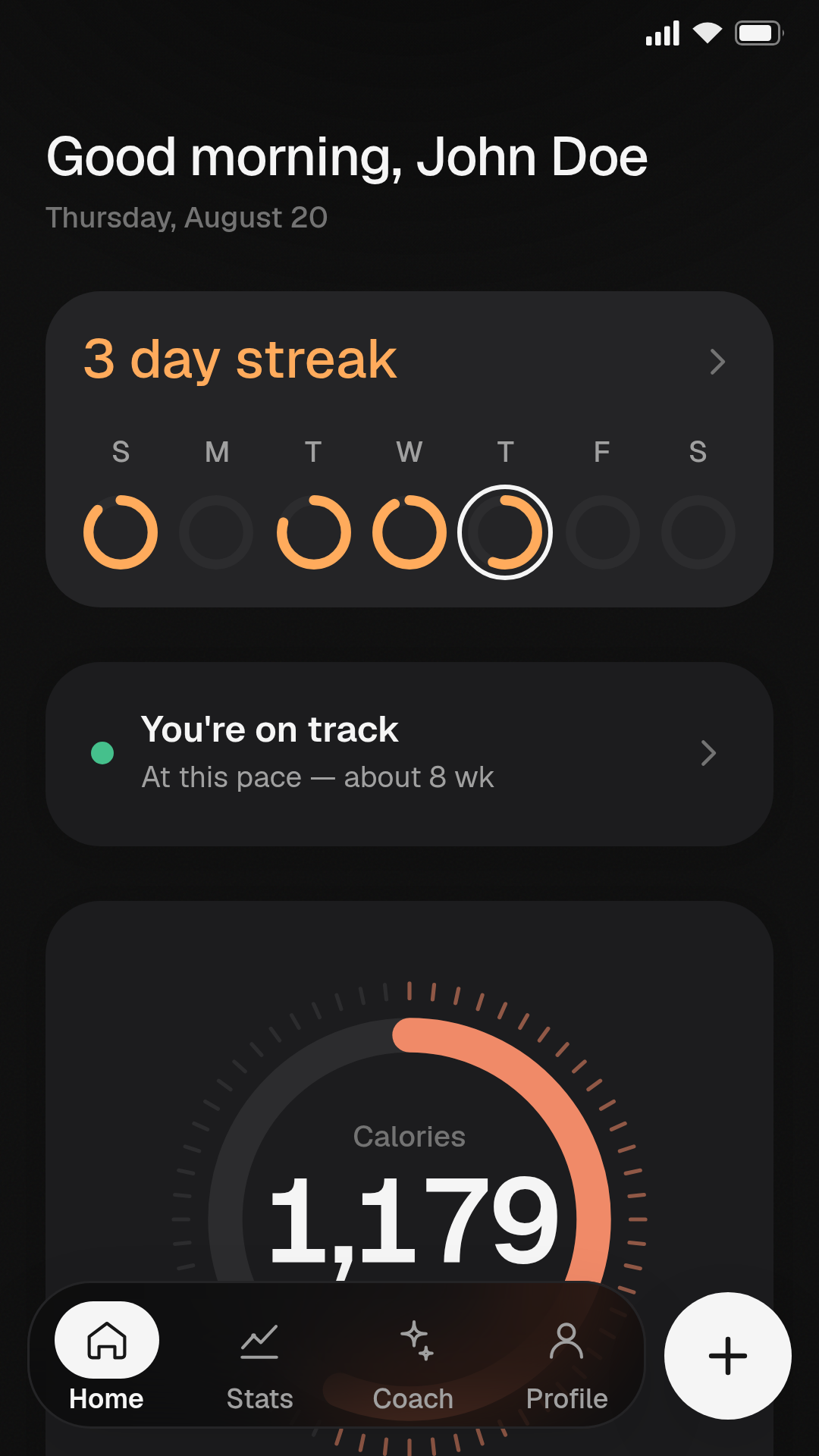
Calora AI counts calories with no account, no subscription and no server of ours. Photograph a plate, scan a barcode or type it in — and the numbers stay where you put them.
01 — Logging
The AI does the dull part — reading a plate or a nutrition label — without handing your diary to anyone.
01
Point the camera at your plate and the AI estimates the foods and their nutrition. Before anything is sent, you see exactly where the photo goes.
02
Products you have scanned before are recognised offline. New ones are looked up in Open Food Facts — only the barcode number leaves your phone.
03
Search the food database, or write the numbers yourself when you already know them.
04
Your saved meals and recent entries, one tap away — because most days repeat themselves.
Nothing is written to your diary automatically. Every result opens as a draft in the editor, so the numbers are yours to check before they count.
02 — Your plan
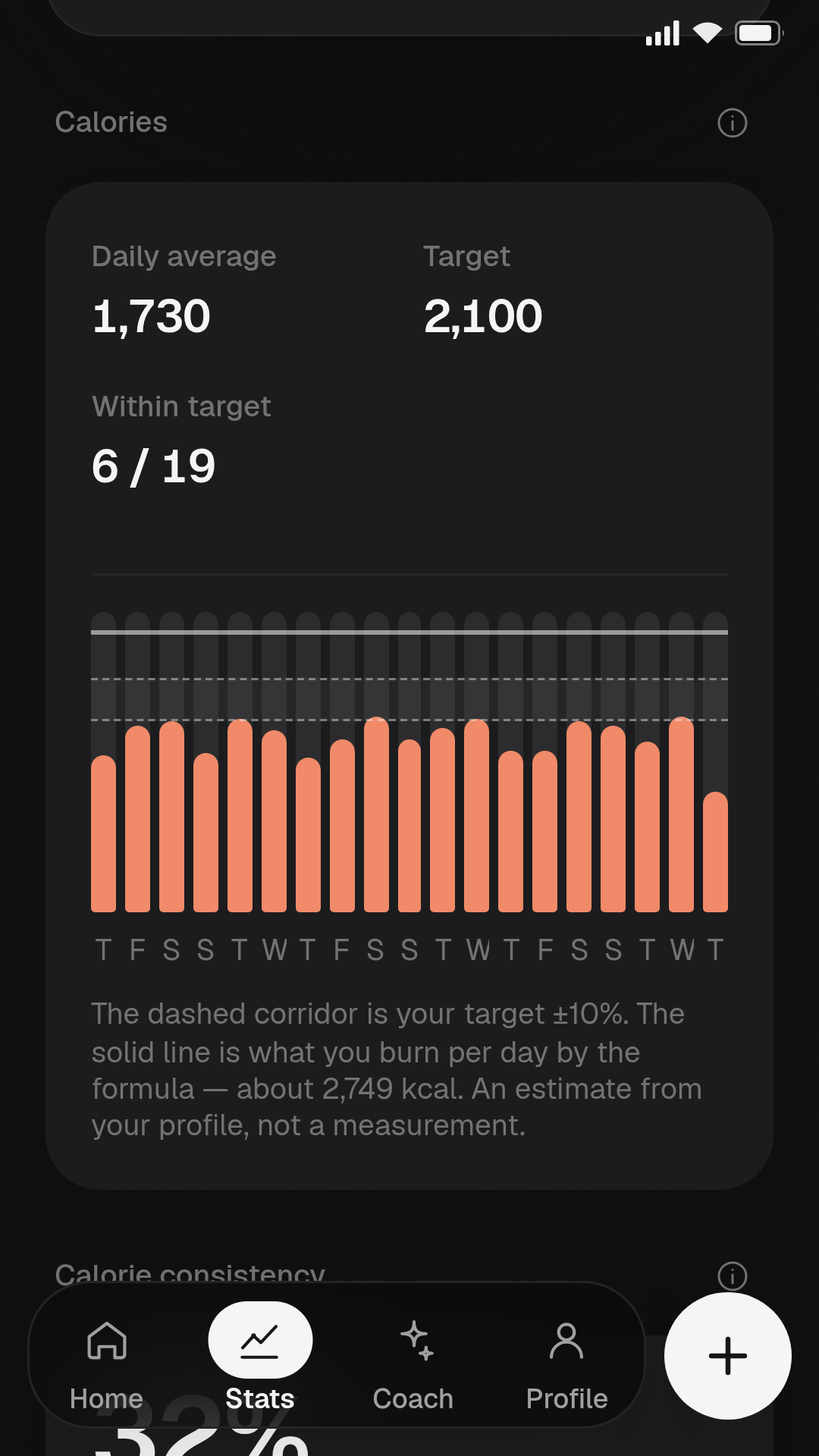
Calculated from your profile with the Mifflin–St Jeor equation, adjusted for your activity and goal — and editable, because a formula is a starting point, not a verdict.
03 — AI
You choose who reads your photograph — and requests go from your phone straight to that provider. They do not pass through any server of ours, because we do not have one.
OPTION A
Works immediately after setup. Nothing to configure, no key to find, no account to open.
OPTION B
OpenAI, Anthropic, OpenRouter or any OpenAI-compatible service, using your key. You pay the provider directly; Calora takes no cut and adds no markup.
OPTION C
The diary works perfectly well by hand. Every automatic path has a manual one beside it.
04 — Coach
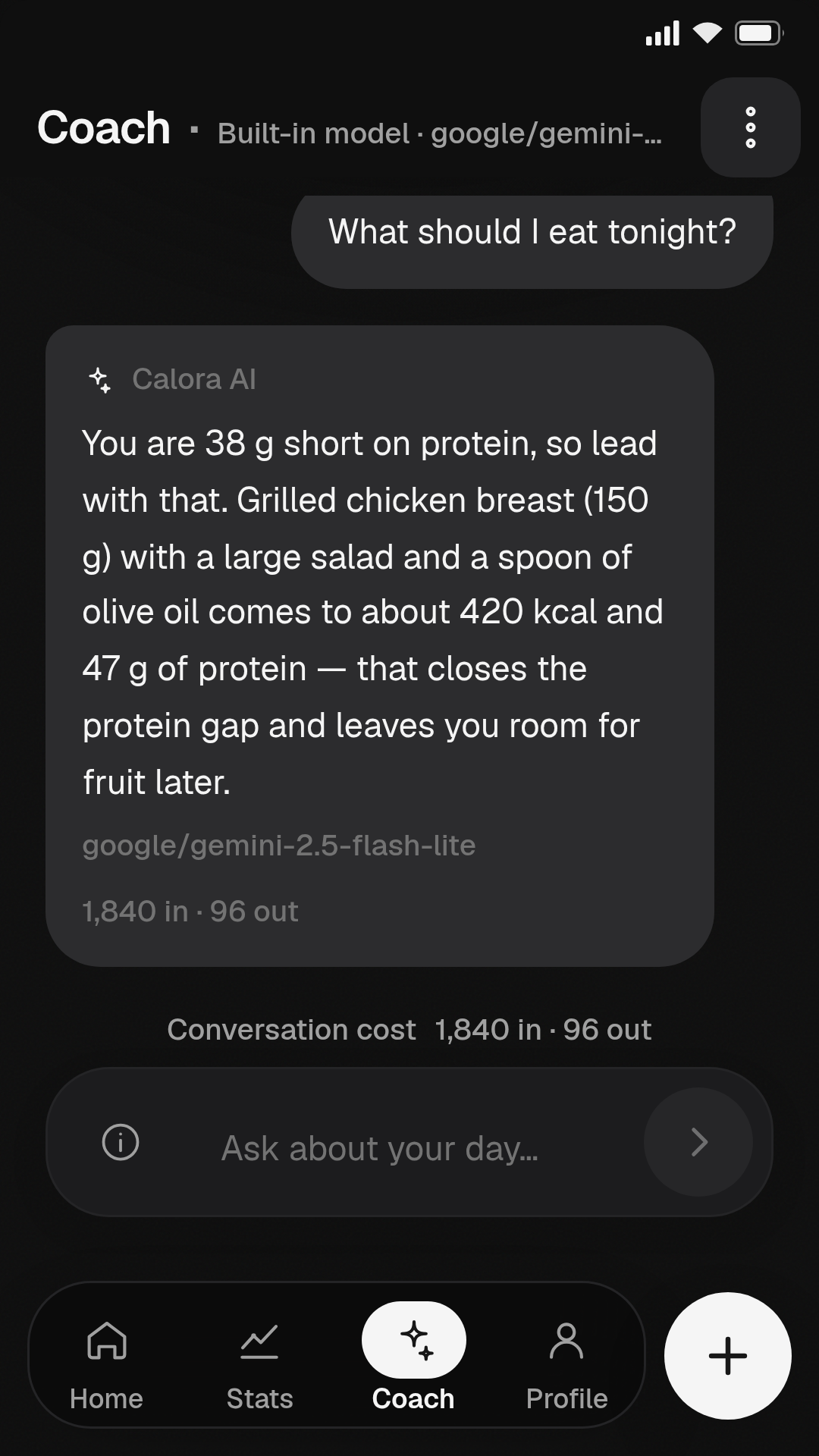
Ask about your own numbers. The coach knows your goals and what you actually ate, so the answers are about you rather than about nutrition in general.
05 — Privacy
There is no policy holding your data back. There is simply nowhere for it to go.
06 — Also
07 — Availability
Calora AI is available for Android 7.0 and later. Install it from Google Play — and if you have a question the site does not answer, write to us.
Get it on Google PlayFree · No account · No subscription · mavensystemssupport@gmail.com